
 vs

CodeRabbit alternative for reading the diff yourself
Pick Guided Review if you're an engineer who wants to follow a change across files before approving it.
Pick CodeRabbit if you want automated PR findings and suggested fixes.
The deciding question is what you need next: help reading the implementation, or feedback generated for you? CodeRabbit also offers Change Stack for reading large diffs, so this isn't a claim that only Guided Review helps with context. If your current CodeRabbit workflow answers your questions, keep it. The case for Guided Review starts when you want a walkthrough with your own provider account.
I built Guided Review, and Guided Review publishes this page. Yes, it's biased. Product claims below link to sources checked in October, 2026; features can change.
On this page
When Guided Review is the worse choice
You need findings posted when PRs change, suggested fixes, or checks that run as part of a team workflow. Those are jobs Guided Review leaves to other tools.
Read the docs to choose the extension or local CLI.
At a glance
Checked October, 2026. Prices are in USD. Superscript references link to the sources below. A winner is named only where the requested output has a clear match.
| Guided Review | CodeRabbit | |
|---|---|---|
| Who decides | You. It never auto-approves. | The product posts automated review comments and suggested fixes [C1]. |
| Where the diff goes | Your AI provider. No Guided Review backend [G4]. | Cloud analysis clones the repository in a sandbox [C4]. |
| Host | github.com extension or local CLI [G2], [G3]. | PR integration plus CLI and IDE review [C1], [C3]. |
| Key | Yours: Anthropic, OpenAI, or Grok. | — |
| Price | Free, Apache-2.0. Provider usage is yours [G5]. | Essentials: $24/user/month billed annually in October, 2026 [C3]. |
| Worse fit | You wanted a bot comment, proposed fix, or merge check. | You wanted a reviewer-driven walkthrough with your own provider. |
Workflow: decide what you want to receive
For an engineer, the first choice is whether you want another set of findings or a way to read the code. I'd decide that before comparing plans.
CodeRabbit's automated review produces comments and suggestions [C1]. Guided Review produces an ordered reading path [G1]. These outputs leave you with different work. In one, you assess the findings. In the other, you inspect the implementation and write your own feedback. Neither output proves that a change fits your product.
Take an optional filter on a list endpoint. You still need to know what happens when the filter is missing. Reading the type, query builder, caller, and test can answer that. Resolving a comment about one of those files may leave the rest of the question open.
CodeRabbit's Change Stack also addresses reading context [C2]. I wouldn't dismiss it to make this comparison easier. Use a patch you already understand and see which interface lets you follow the behavior with less backtracking. There isn't a measured speed or accuracy winner here.
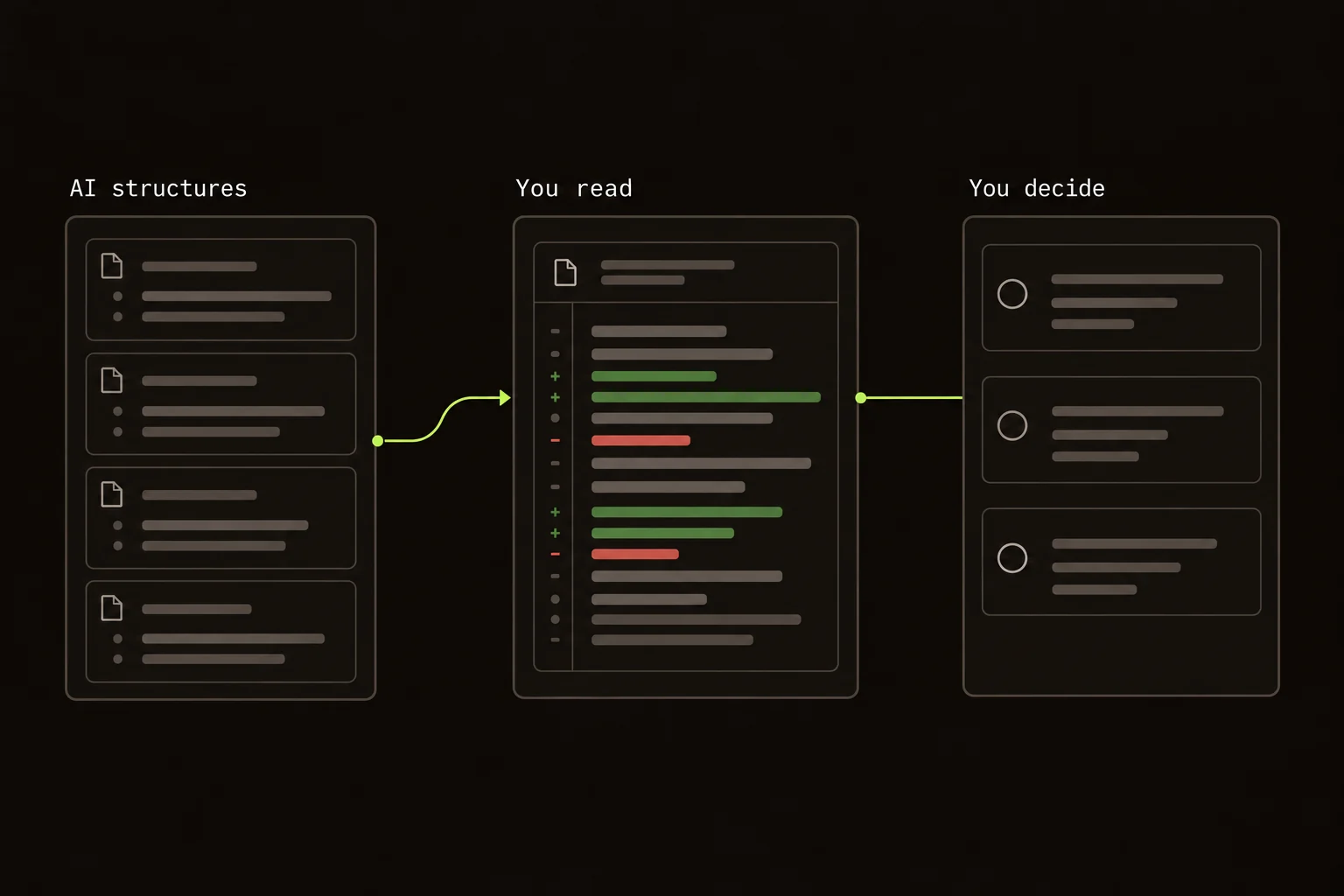
Guided Review organizes the reading. The findings and final decision are yours.
Try a real public pull request
Use Guided Review PR #139, a small change to sitemap dates and canonical-URL assertions. The question is concrete: does the guide collection's modification date follow the newest guide, while the comparison collection keeps its own date?
For a local trial, run this in a directory where you want a separate checkout. Git and Node.js 22 or newer are required. The commit pins the example even after the repository moves on:
git clone https://github.com/nshntarora/guidedreview.git guided-review-trial &&
cd guided-review-trial &&
git checkout --detach 8f23e027705f435644189e21dcb7a7e1b8c3a9f6 &&
npx @guided-review/cli --base "HEAD^"
No dependency install for the cloned project is needed to read its diff. The CLI opens in Files; requesting AI structure is a separate action that uses your provider.
- Read
apps/web/app/sitemap.ts. Follow the/guidesbranch of the conditional through the date sort and final value. Then check the/comparebranch. - Read
apps/web/e2e/seo.spec.ts. The new assertions check production canonical URLs. They do not test the guide-date calculation. That is a gap to notice, not a reason to assume the dates are wrong. - Leave a note with the missing evidence: “Please cover the guide collection's newest-date calculation with unsorted guide dates, and verify that the comparison date stays independent.”
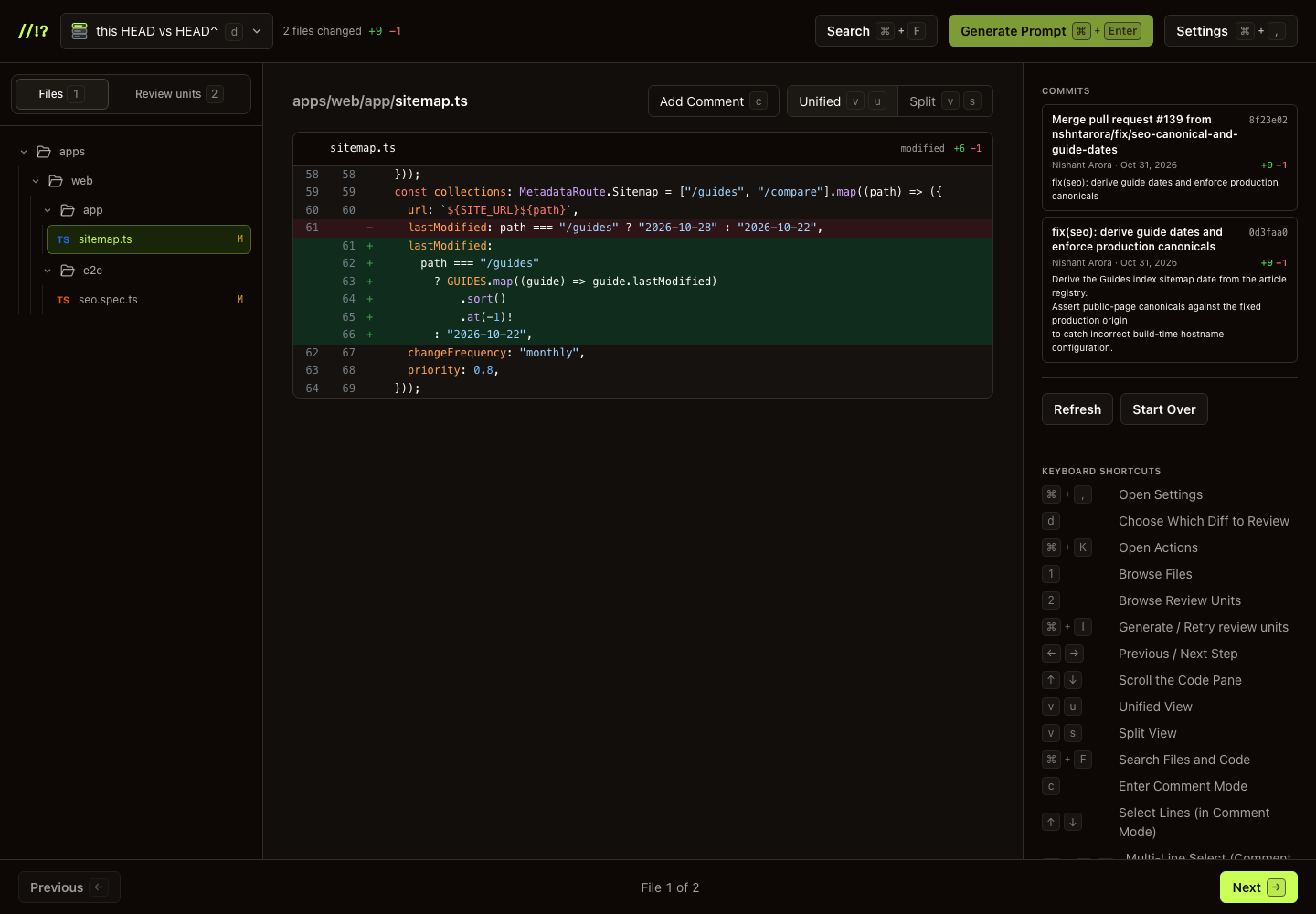
The pinned PR in the local CLI, before requesting AI structure. The displayed code comes from its Git diff.
For the AI path, configure your provider and choose Generate review units. Inspect the proposed reading order against those same two files. Unit titles and commentary depend on your model; the review question stays the same. In the CLI, Generate Prompt copies your notes for a coding agent. It doesn't submit them to GitHub.
Want to inspect the review-unit interface before adding a key? The homepage live preview uses a fictional retry patch and a prepared plan. It makes no provider call and doesn't post reviews.
On GitHub, open the linked PR after installing the extension and choose Start Guided Review. It can also read a merged PR. Keep trial notes as drafts: submitting would post a real review to this public repository. Reading the PR doesn't require submitting anything.
Use your own representative PR for a CodeRabbit trial. If it is already installed, compare its findings and walkthrough with your reading pass on the same change. This example doesn't claim a measured speed or bug-detection winner.
Pricing: compare the work, then the bill
A product subscription and direct provider usage aren't the same bill. For a small team, I'd estimate the work you expect each tool to do before calling either one cheaper.
Guided Review is free today, with provider usage billed to your account [G5]. Its AI path makes one annotate call per diff chunk. Navigation, search, drafting, and submitting don't make another model call. Re-running structuring does [G1]. A large diff can need more than one chunk, so time spent in the overlay isn't a useful estimate of cost.
The CodeRabbit prices and hourly allowance are in the table above, taken from its pricing page [C3]. Check billing terms and what happens after the included allowance before buying seats. A published seat price alone doesn't describe every usage pattern.
The practical question is whether you need the service behind that bill. If automated feedback is part of your team's process, replacing it with a reading tool removes work the service was doing. A lower product fee wouldn't make that an equivalent purchase.
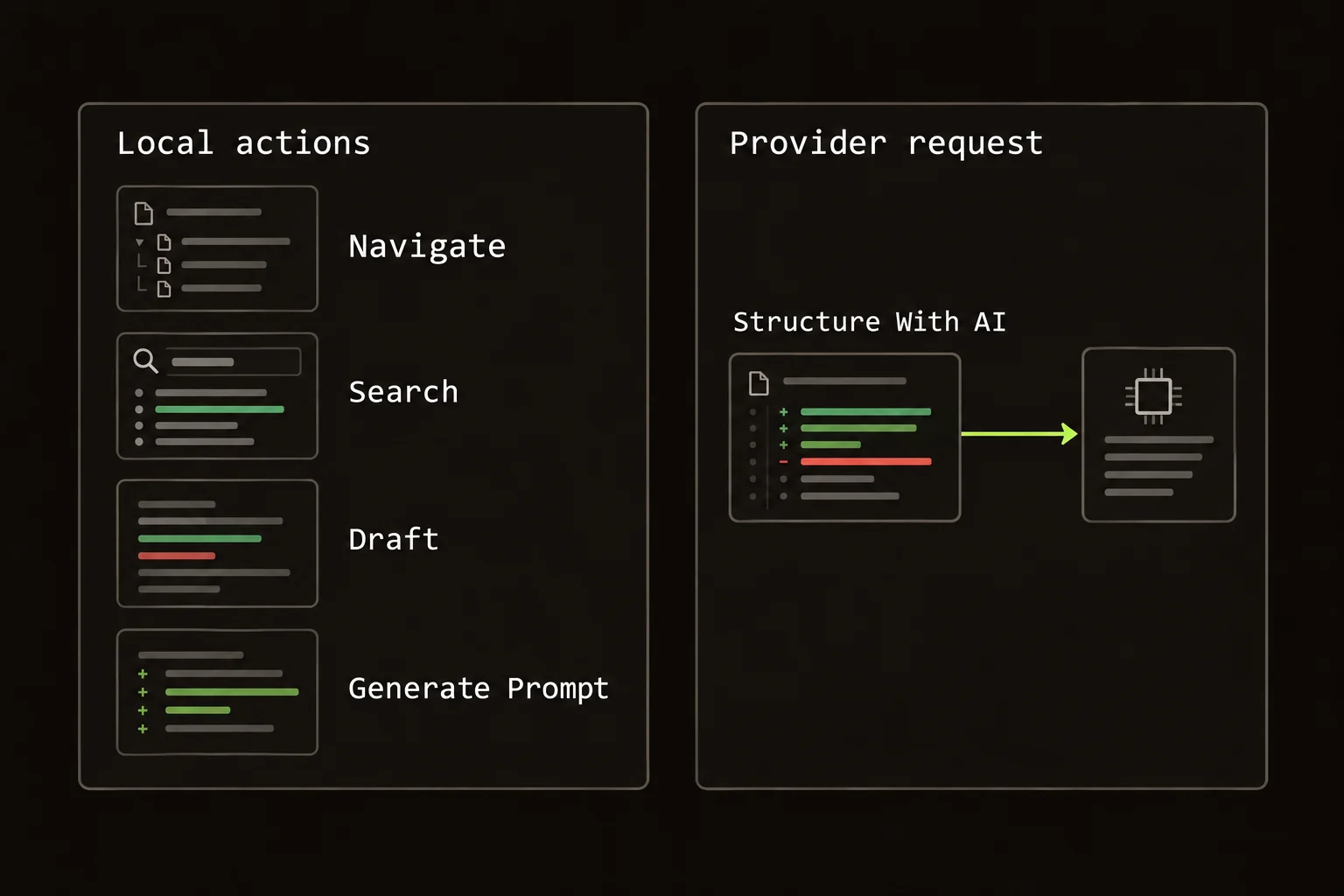
Guided Review provider usage comes from AI structuring, not time spent reading or drafting.
Data: follow the code to its destination
Your team's rules about sending code may settle the choice before the interface does. I'd map the actual request path rather than use “local” as a privacy claim.
Guided Review's extension talks to GitHub and your configured AI provider. The CLI sends AI prompts from its local process to that provider. There's no Guided Review backend receiving diffs or keys [G4]. That still sends code outside your machine when you request AI structuring. Your provider's terms remain part of the decision.
CodeRabbit documents sandboxed cloud analysis with a clone of the repository [C4]. That's a different processing path. It doesn't, by itself, establish a security ranking between the tools. This page makes no claim about which company protects data better.
For Guided Review, check local storage separately from traffic. Extension settings and keys live in browser local storage; active review state uses session storage. CLI preferences live in your config directory [G4]. A provider choice, a storage location, and a retention policy are three different facts. Don't let one stand in for the others.
Sources
Checked October, 2026.
- [G1] plan docs
- [G2] extension docs
- [G3] CLI docs
- [G4] data docs
- [G5] price and usage
- [C1] CodeRabbit review overview
- [C2] CodeRabbit product page
- [C3] CodeRabbit pricing
- [C4] CodeRabbit architecture
FAQ
What does CodeRabbit do better than Guided Review?
CodeRabbit provides automated PR findings and suggested fixes. Guided Review organizes code for you to read and does not provide those outputs.
How do Guided Review and CodeRabbit work with GitHub?
Guided Review opens a Chrome overlay on github.com and can submit a review you choose. CodeRabbit connects to a repository and posts automated review comments. Pick the handoff your team needs.
Who should keep CodeRabbit instead of switching to Guided Review?
Keep CodeRabbit if its automated findings and fixes are the work you need. Guided Review adds a reading task rather than replacing that service.
Do Guided Review and CodeRabbit both help explain a diff?
Yes, but the interfaces differ. Guided Review uses ordered review units, while CodeRabbit offers PR walkthroughs and Change Stack. This comparison has no benchmark showing which reading interface is faster.
Start Guided Review
In your own local repository, run:
npx @guided-review/cliFor GitHub pull requests:
Install the Extension⌘EThe CLI docs and extension setup cover provider keys and the controls. For other workflows, start with the tool-selection guide.