
Review AI-generated code before you sign your name to it
Turn your commits into a structured review that helps you catch AI-code issues before your teammates do.
Free · Open source · Bring your own LLM key
Try it out without installing anything
Play around with Guided Review before you decide to install
Install
Same review engine, two surfaces — pick the one that matches the change you're reviewing.
CLI
When you're reviewing your own code.
Review a local branch, commit, or working tree in the browser — before you open a PR, or when there isn't one.
In your project directory, run:
npx @guided-review/cliThe server will start up. Requires Node.js 22+.
Full flags and scopes: CLI docs →
Features
Built for humans who still have to read the code.
- clustered-changes.diff
Review changes, not files
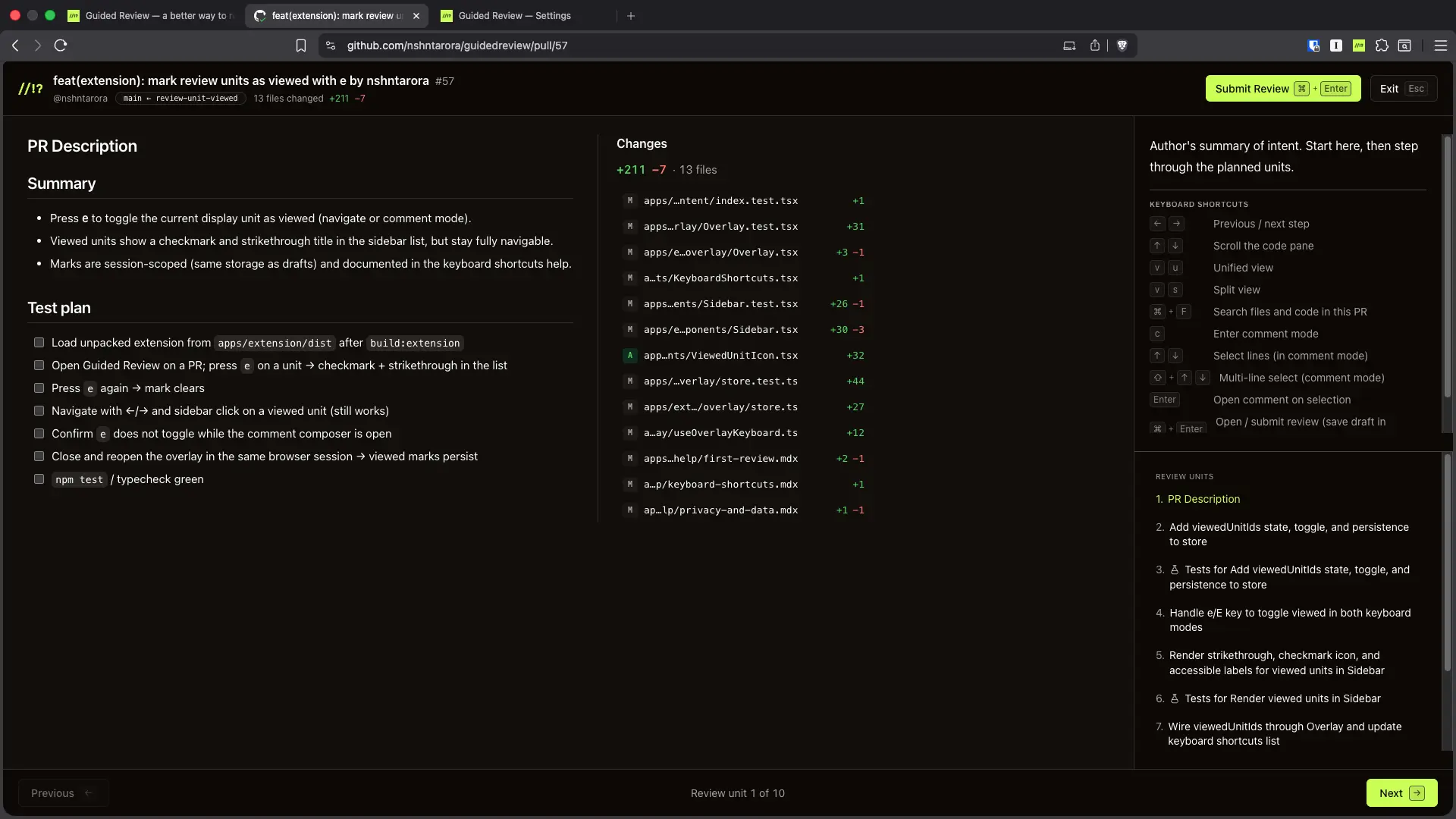
Most tools dump every changed file in alphabetical order and leave you to work out how they connect. We use AI to cluster related changes into review units, so you read the change, not the file list.
- navigation.keys
Read and navigate how you write
Guided Review is keyboard-first. Browse units, comment, and submit without leaving the keys — same muscle memory as writing code.
- summaries.ai
Summaries (because AI)
Get a 2 line overview of every change. Sometimes it's really helpful, sometimes it's not. Take it with a grain of salt.
Model companies apparently block your API keys if you do not implement summarization. Seriously.
- approved-tools.json
Tools corporate security has already approved
Bring the AI provider your company already approved — Claude, OpenAI, or Grok — and your own API key. Want to read the code that handles that key? It's open source (without VC funding), so you can read it, or fork it and point it somewhere else, or modify it for your own workflow.
Please check with your employer if they've policies about this. If you're a 2 person startup, you're (probably) fine.
Your code never touches our infrastructure
The extension and CLI talk directly to your AI provider (and GitHub for PRs). We never see your diffs, your keys, or your code — because there's nothing on our end to see them with.

Get Guided Review
Run npx @guided-review/cli for local changes, or install the Chrome extension for GitHub PRs. Add an LLM API key, then follow the walkthrough — AI structures it, you decide.