
AI code review that does not auto-approve
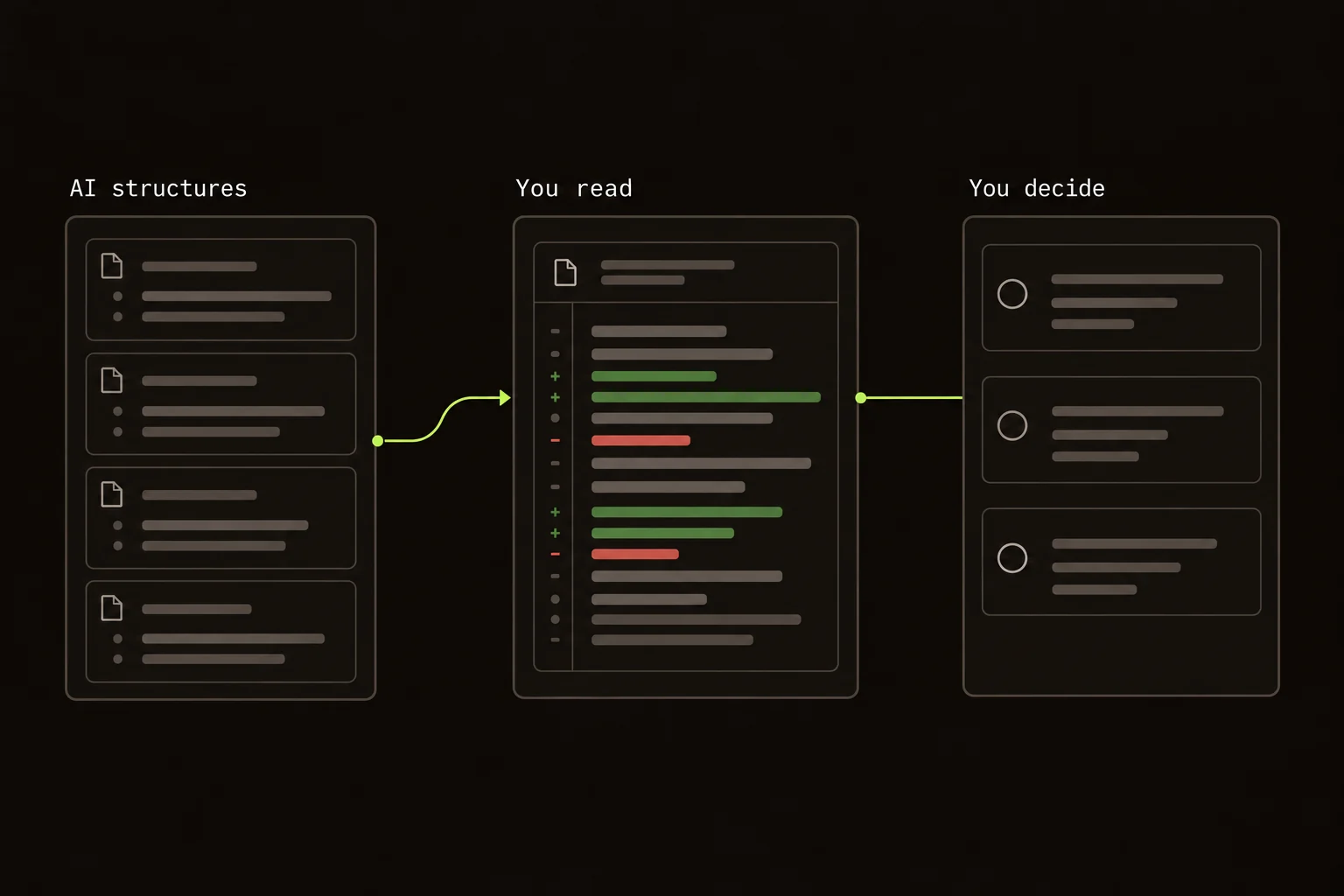
I don't want the model that explains a change to decide whether I should merge it.
AI can group related hunks, suggest a reading order, and add commentary. I still want a person to choose Comment, Approve, or Request Changes after reading the code.
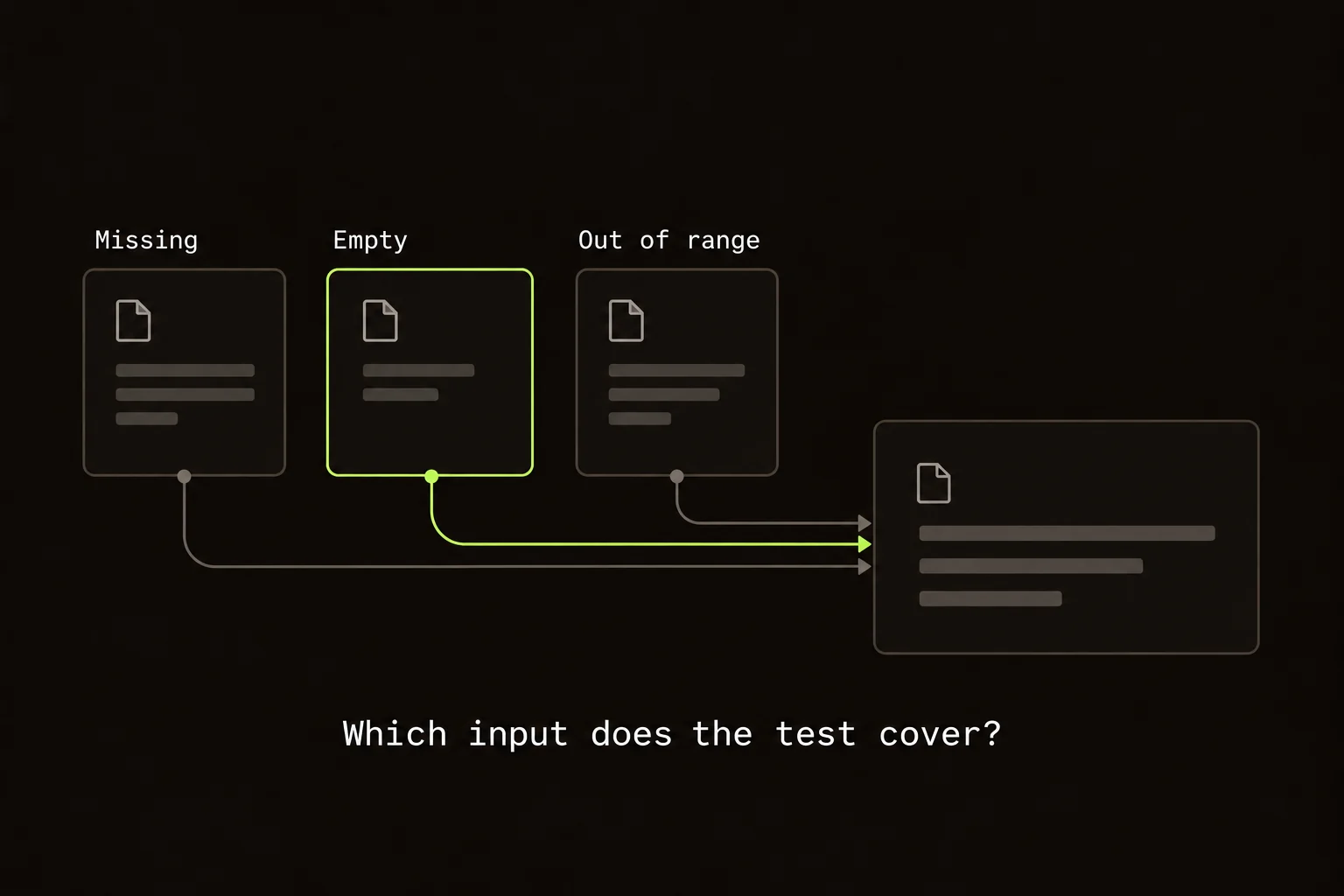
Here's why. You read “invalid input is rejected” in a summary. There's a passing test with a similar name. It feels answered.
Which input? A missing field? An empty string? A value outside a range?
The summary has compressed three questions into one reassuring sentence.
A quick review path:
- Translate the intended behavior into observable cases.
- Check code and tests for evidence that could contradict the summary.
- Record unresolved requirements in comments.
- Choose the review outcome yourself.
On this page
Read the rejection branch before trusting the summary
I'd start with the condition in the handler. Work out exactly what reaches the rejection path, then read any caller that depends on the old behavior.
Now look at the test. Rejecting a missing field doesn't establish what happens to an empty string. Its name can be broader than its assertion.
“Should an empty string be rejected too?” is a useful comment beside that condition. Someone can answer it. Another summary won't settle the requirement.
This applies when you're reviewing a teammate's PR and when you're checking your own agent-written work. The review standard doesn't change with the author.
Translate the summary into cases you can distinguish
Take a handler that receives a display name. Missing input, an empty string, whitespace, and a value longer than the supported limit can enter different branches. “Reject invalid names” is a useful description only after someone defines which of those inputs is invalid and what response the caller should receive.
Write the expected result beside each relevant input before reading the assertion. For example, omission might preserve an existing name while an explicit empty value might clear it. Another product could require both to fail. The reviewer needs the intended contract to decide whether the implementation is correct; the summary cannot choose that policy on the team's behalf.
Now follow one case from entry to effect. Does validation happen before persistence? Is the value normalized first? Does a rejected request still trigger a write or notification? A test that observes only the error message may miss a side effect that already occurred. Ask for evidence at the boundary where the behavior matters to the user.
What Guided Review lets the model do
Guided Review parses the real diff into files and hunks. The model groups those hunks into ordered review units and adds commentary. The overlay resolves its references against the parsed diff and drops invalid hunk identifiers.
The model never supplies the code shown in the overlay. Production changes and tests appear as separate units, so you can read the behavior before the test's account of it. The AI-generated PR guide follows that order through a timeout change.
Commentary can still be wrong. I can validate a hunk ID. I can't validate a product decision that way.
What the reviewer still has to check
Follow the inputs, defaults, failure paths, authorization boundaries, callers, and outputs. Ask whether the test would fail for the mistake you have in mind.
A green suite tells you the selected examples pass. If no example covers an empty string, it hasn't answered the empty-string question.
The model's useful job here is to get related code in front of me in an order I can follow.
Look for evidence that can contradict the explanation
An assertion deserves a closer look when its expected value is derived from the same logic as the implementation. Both paths can repeat the same mistake. For the validation change, inspect whether the test sends a realistic request through the handler or only calls a helper with an already normalized value.
Read removed tests too. The agent may have replaced a detailed failure case with a broad snapshot or changed the expected result to match the new code. That is not necessarily wrong, but the removed behavior needs an explanation. Identify the original constraint and where the new suite verifies it, if it still applies.
Run a focused check that could expose the suspected problem. Use the project's existing commands and keep the result tied to the current revision. If the failure depends on an external service you cannot run, state the unverified path. A review can be precise about uncertainty without pretending the model's explanation closes it.
Use comments to separate requirements from preferences
“An empty string reaches the update query and clears the saved name. Should this request be rejected, or is clearing intentional?” identifies a behavior and a decision. If the requirement says clearing must be impossible, include that constraint and explain why the issue blocks approval.
Keep style suggestions separate from behavior problems. A request to rename a local variable has a different consequence from a request to prevent a write after failed validation. The author should be able to prioritize the review without guessing which notes represent correctness concerns.
Avoid asking the author to “check everything” after you have already located a concrete path. Carry your investigation into the comment: the input, relevant condition, observed consequence, and expected behavior when known. That makes the exchange useful even if the author uses another model or no AI at all to implement the fix.
An Approve button still needs a person
After an optional GitHub connection, the Chrome extension can submit Comment, Approve, or Request Changes. You select the outcome and what to send. Guided Review never auto-approves or rejects a PR.
The CLI doesn't submit GitHub reviews. Local notes stay with the running session, and Generate Prompt formats them for copying into a coding agent. AI structuring is opt-in. Both hosts support your own Anthropic, OpenAI, or Grok key, with no Guided Review backend receiving the diff.
If you need automated findings on every PR or a required merge check, you need a tool that does those jobs. For a tiny patch, the normal diff may be enough.
Before I approve this validation change, I want an answer about the empty string.
Choose an outcome from the current evidence
Use Comment when you are contributing information or asking a question without recording approval. Use Request Changes when a specific unresolved issue needs correction before the PR should proceed under your team's process. Choose Approve only after the remaining uncertainty is acceptable for the change. Guided Review exposes those outcomes in the extension; your repository's review rules determine their significance.
Before sending, read the selected outcome and the drafts together. A draft left over from an earlier point in the walkthrough may already be answered. Conversely, a review summary that sounds positive should not obscure a blocking compatibility question. Align the published record with what you actually established.
When the author pushes a fix, reread the changed behavior and its evidence. Check that the update answers the original question instead of merely changing the test expectation. If your concern was a write after validation failure, verify the write boundary. That final pass is where a human decision gains its justification: a requirement, an implementation you understand, and evidence that addresses the plausible mistake.
FAQ
What is AI code review without auto-approve?
It uses AI to organize or explain a change while leaving Comment, Approve, and Request Changes decisions to a human reviewer.
Can Guided Review still submit an approval?
The Chrome extension can submit Approve after you connect GitHub, but only when you select it. The model never selects or submits the outcome.
What if I want automated findings or a merge gate?
Use a tool designed for that workflow. Guided Review structures a diff for a person to read and does not replace a bot reviewer or required check.